01
Sketch the idea
Start with a blank board or turn one sentence into an editable diagram and talk track.
Local-first creator studio
Sketch the lesson, prompt yourself, record the take, and reshape it for every feed—without handing over your footage or your keys.
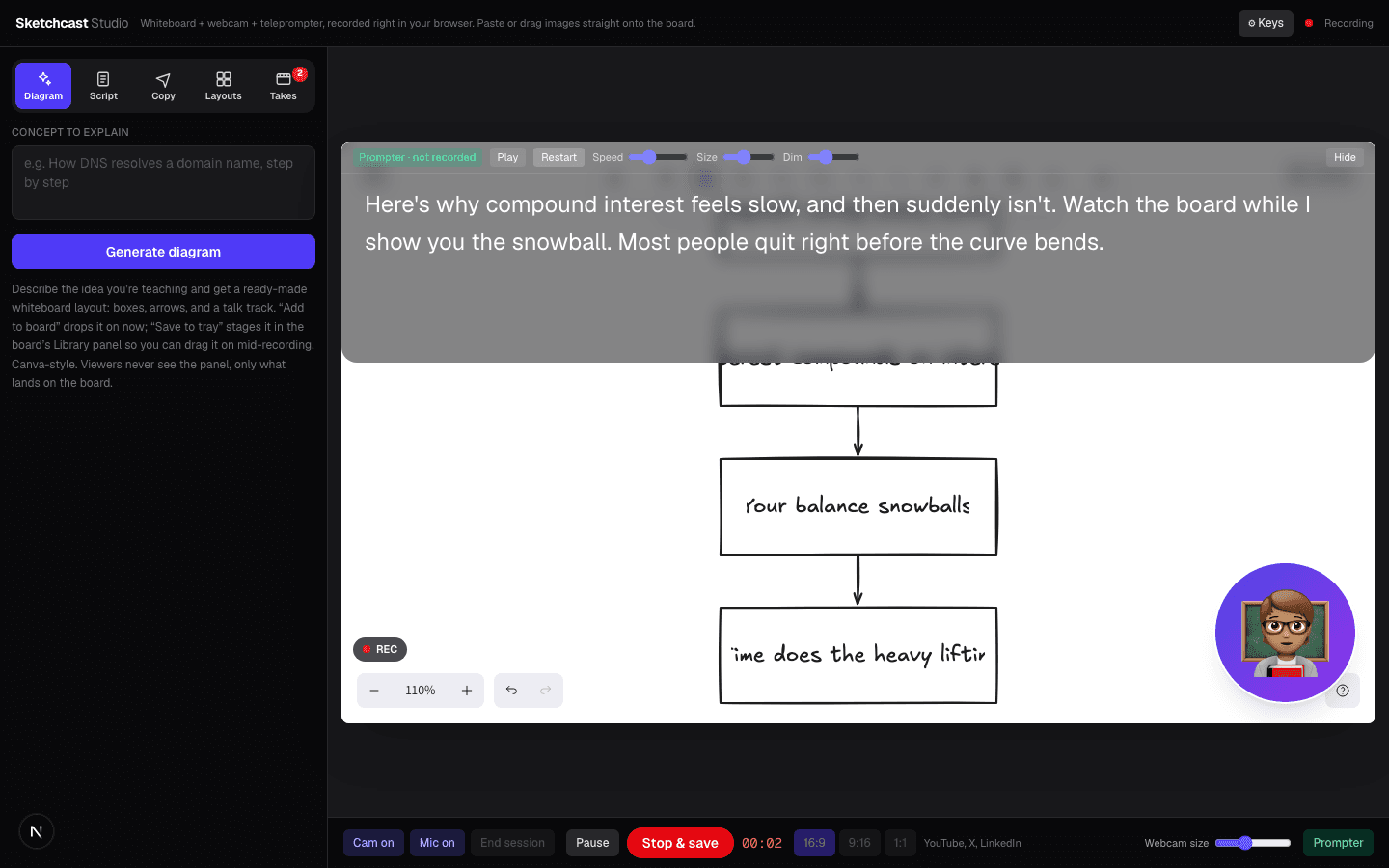
The Sketchcast workflow
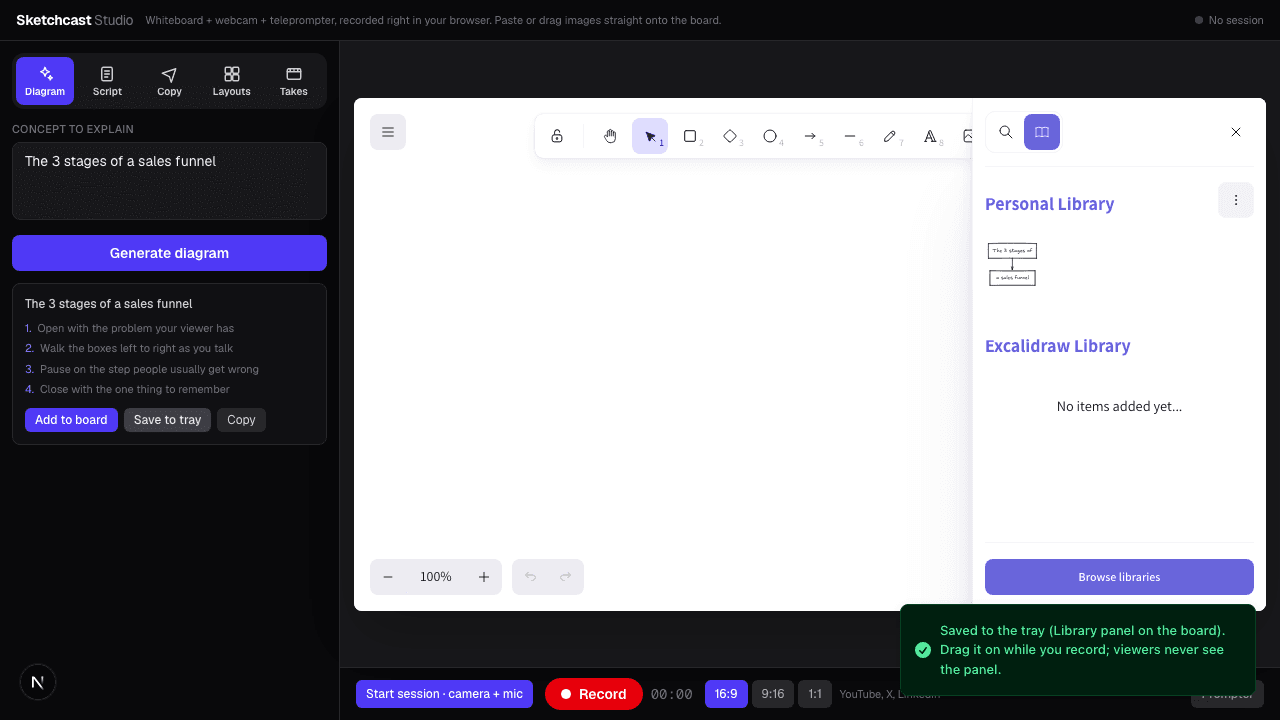
Start with a blank board or turn one sentence into an editable diagram and talk track.
Keep your webcam, whiteboard, and private teleprompter in one focused recording space.
Cut a flub by selecting words, remove filler, and add action slides without a second editor.
Reframe for landscape, vertical, or square and leave with hooks and post copy ready.
Prepare without presenting
Build diagrams, scripts, and reusable layouts offstage. Drag them onto the board only when the moment is right.
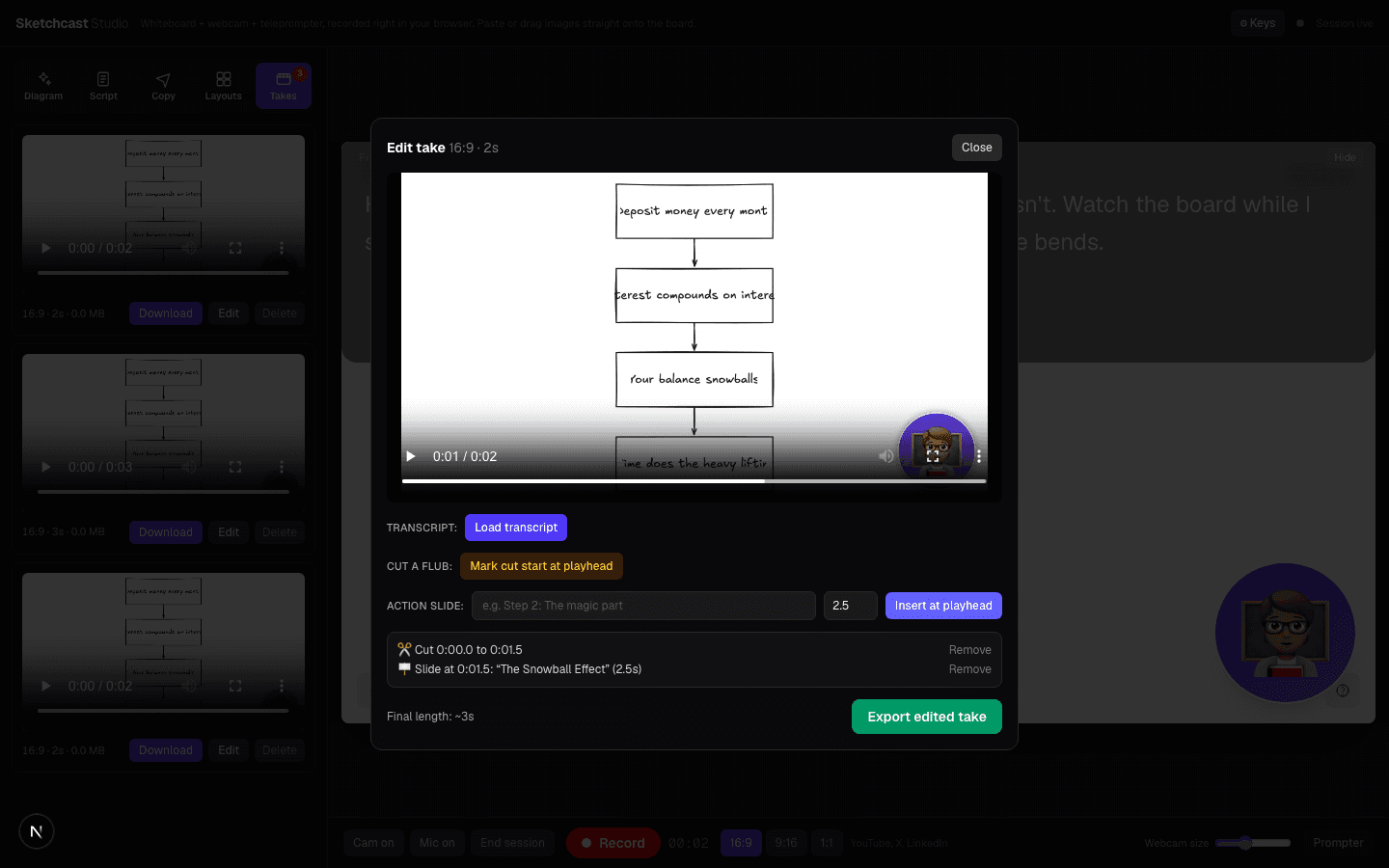
Edit by meaning
Select words to remove a flub, clear filler, and add a crisp title card—without learning a timeline.
Your footage stays on your device. Boards, scripts, layouts, and takes recover locally after a refresh. Optional project sync is encrypted before upload.
Bring your own intelligence
Offline fallbacks keep the studio useful. Optional provider keys stay in session storage by default and can be revoked on your terms.
Open source where it matters
Sketchcast Community is MIT licensed, useful without an account, and safe to self-host. Hosted convenience stays optional—not a lock-in strategy.
View the public repoSimple by design
Community is a real product, not a trial. Creator Cloud funds hosted convenience while the local-first studio stays open.
Open source
$0forever
The complete local-first studio. No account, no credit card, no artificial project limit.
Hosted convenience
$5/ month
For creators who want encrypted continuity and managed services without API setup.
Billed monthly. Cancel anytime.
Early-access pricing. Your own provider keys never count against managed limits.
Checkout appears only when hosted accounts and billing are configured. Until then, the interest path sends an email—never a pretend purchase or surprise charge.
FAQ
No. Recording, editing, and export happen in your browser, and video takes stay in your local Recovery Vault. Optional encrypted sync never includes video.
No key is required for the core studio. Offline diagrams and copy still work. If you want provider-powered AI, bring a separate spend-capped key; it stays in session storage by default and is never persisted by our server.
Yes for reviewing projects, drafting scripts, generating diagrams, and preparing layouts. Desktop Chrome or Edge remains the recommended recording environment.
Never. Only the recorded whiteboard area and your webcam bubble are composited into the export. Everything else is backstage.
Your active board, script, layouts, and takes autosave to the local Recovery Vault on your device. You can also opt into encrypted project sync when it is available on your plan.
Your knowledge deserves a clearer canvas
No account · no install · no upload